
Workflow
How it works
A structured workflow for planning, executing and reporting on IT audits, built for internal IT teams and managed service providers alike.
Set up your audit
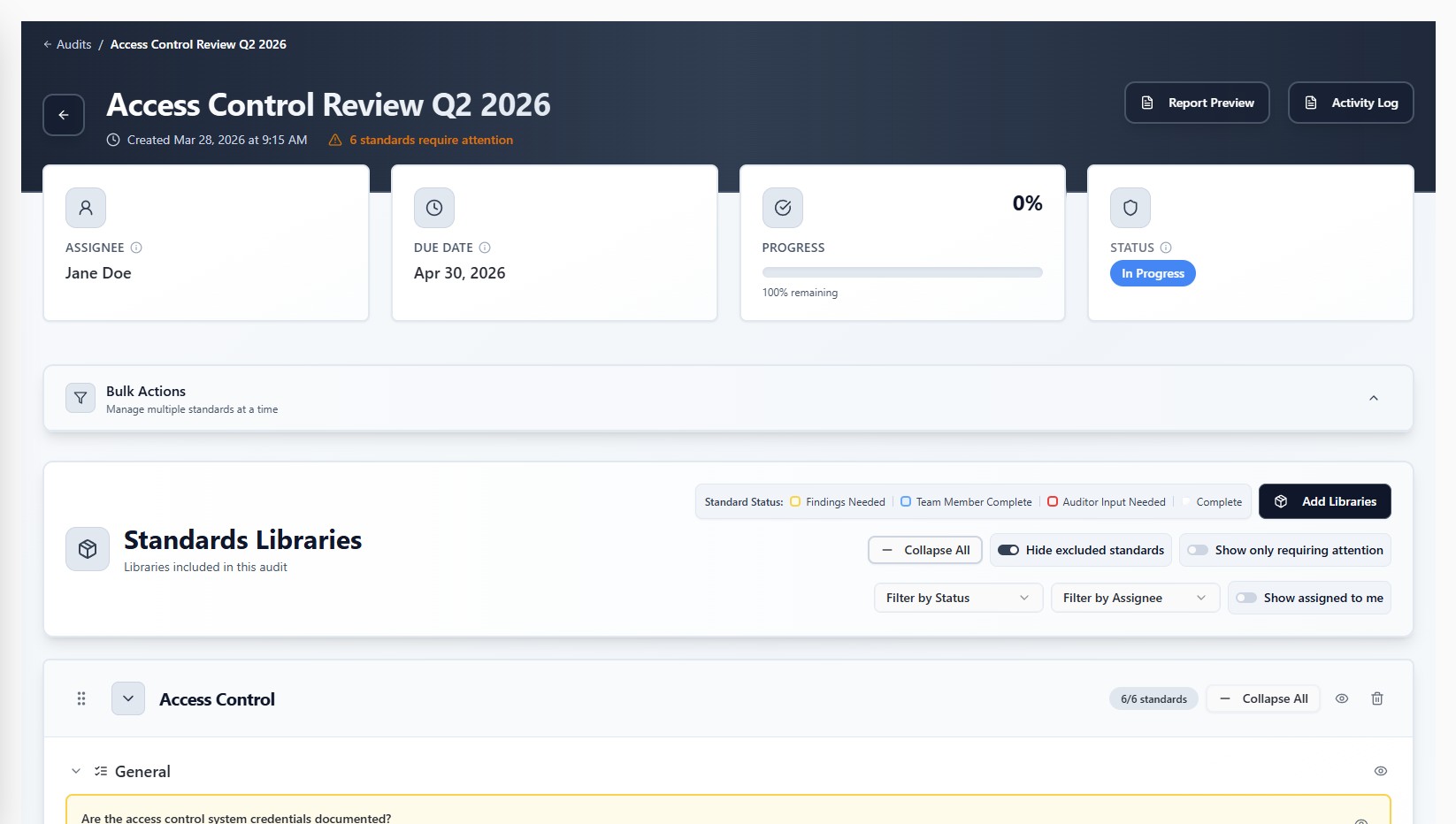
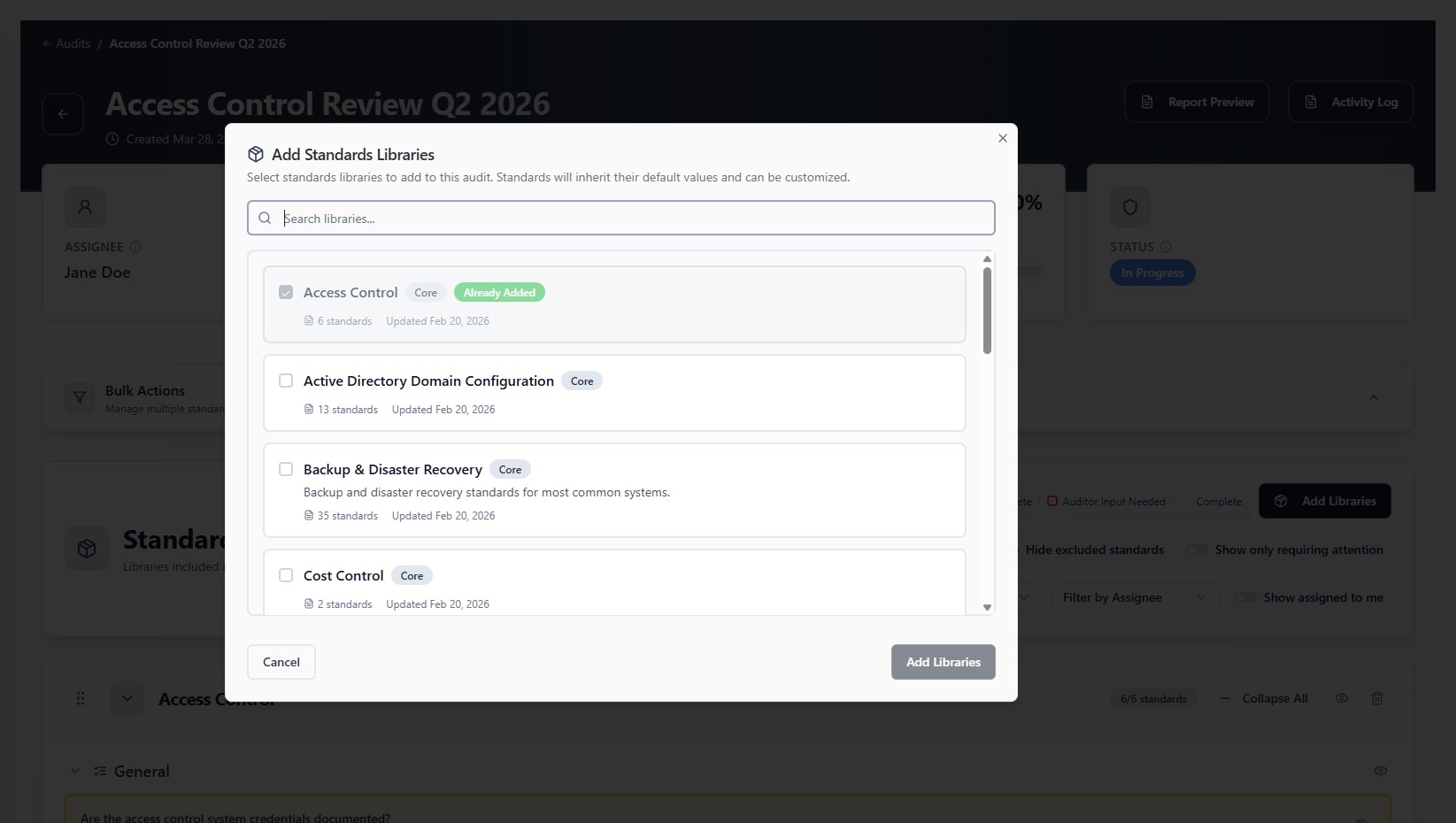
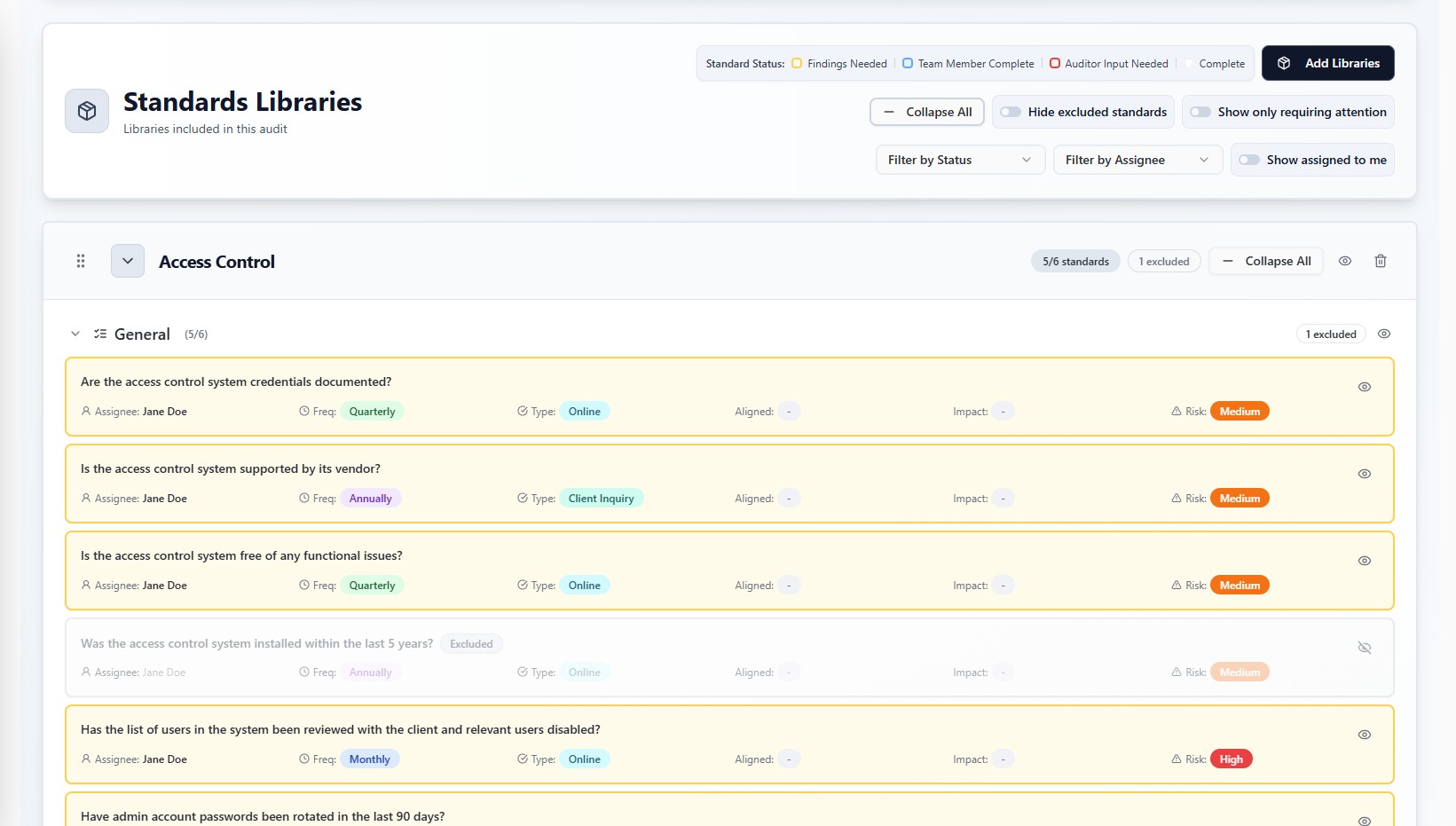
Start by creating a new audit from scratch or reusing the structure of a previous one. Select from existing standards libraries or create your own, exclude anything that is not relevant, and tailor the scope to match exactly what needs to be reviewed.
Audits can be as large or small as you need, from a focused review of disaster recovery systems to a fully comprehensive assessment of all standards. That makes it practical to run on a schedule that suits you: quarterly access reviews, annual compliance assessments, or monthly checks on specific control areas.
- Create a new audit or reuse a previous structure
- Select from existing or create custom standards libraries
- Exclude standards that are not applicable
Execute the audit
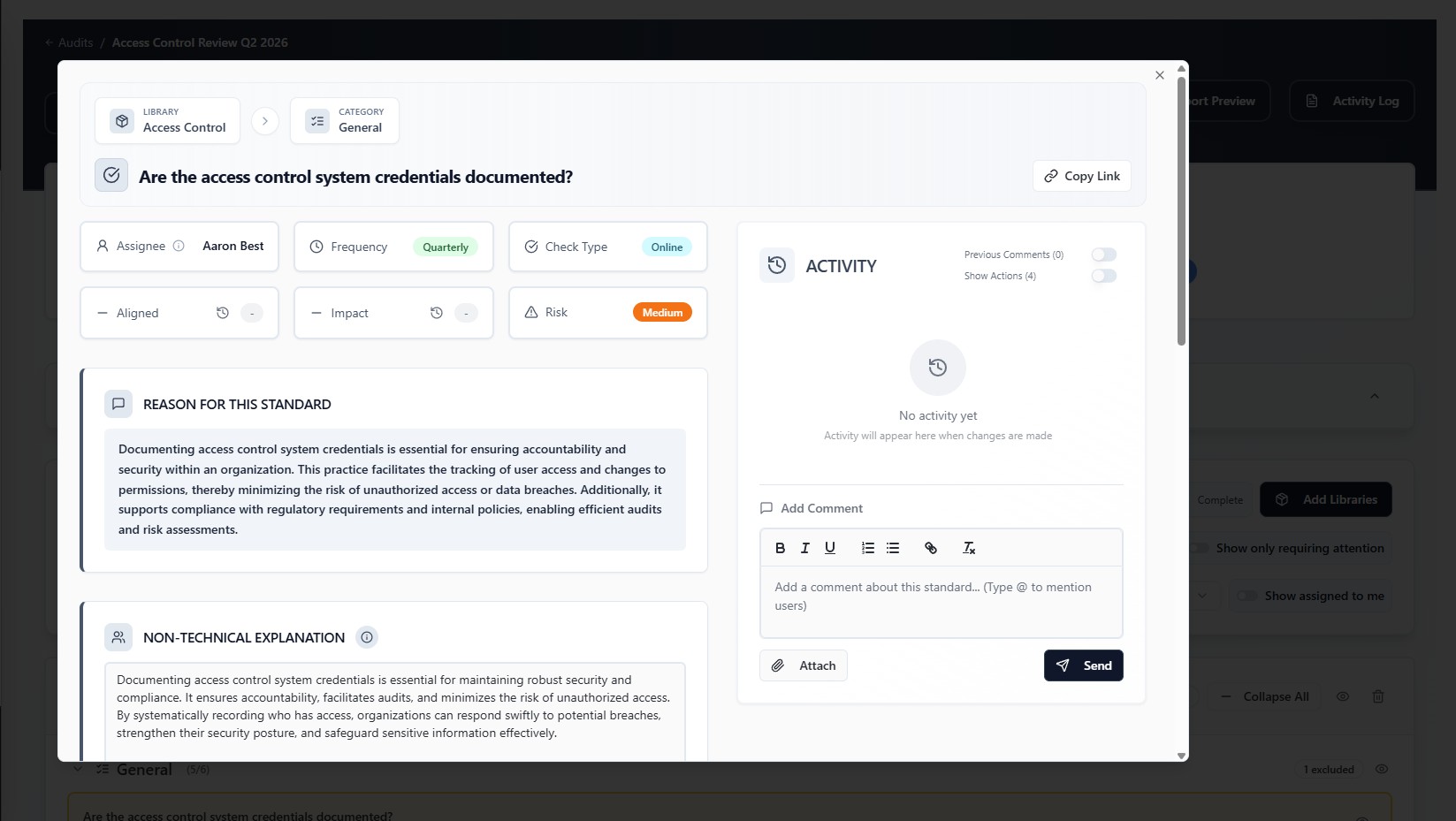
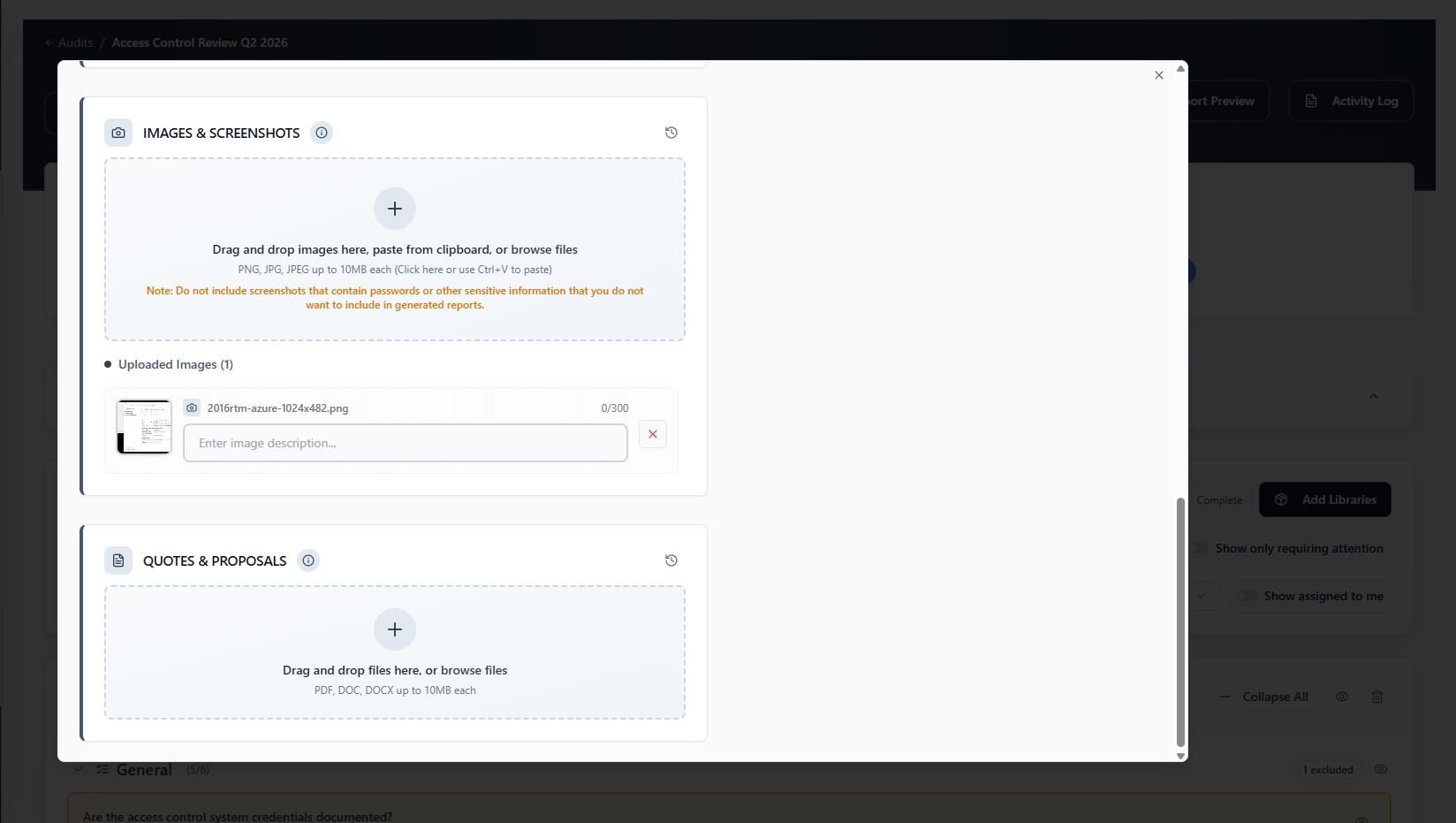
Engineers are assigned specific standards based on their expertise. They submit findings with supporting evidence, including screenshots, and collaborate directly within each standard alongside the audit owner.
For smaller teams there is no need to split work across multiple people. A single IT generalist can be assigned every standard and work through the entire audit alone. Whether it is a two-person IT department or a large team of specialists, the workflow adapts.
Daily email reminders keep engineers aware of outstanding standards and notify audit owners of upcoming due dates, so nothing slips.
- Assign standards by expertise, or all to one IT generalist
- Engineers submit findings with supporting evidence
- Audit owner and engineers collaborate within each standard
- Daily email reminders for engineers and audit owners
Review and report
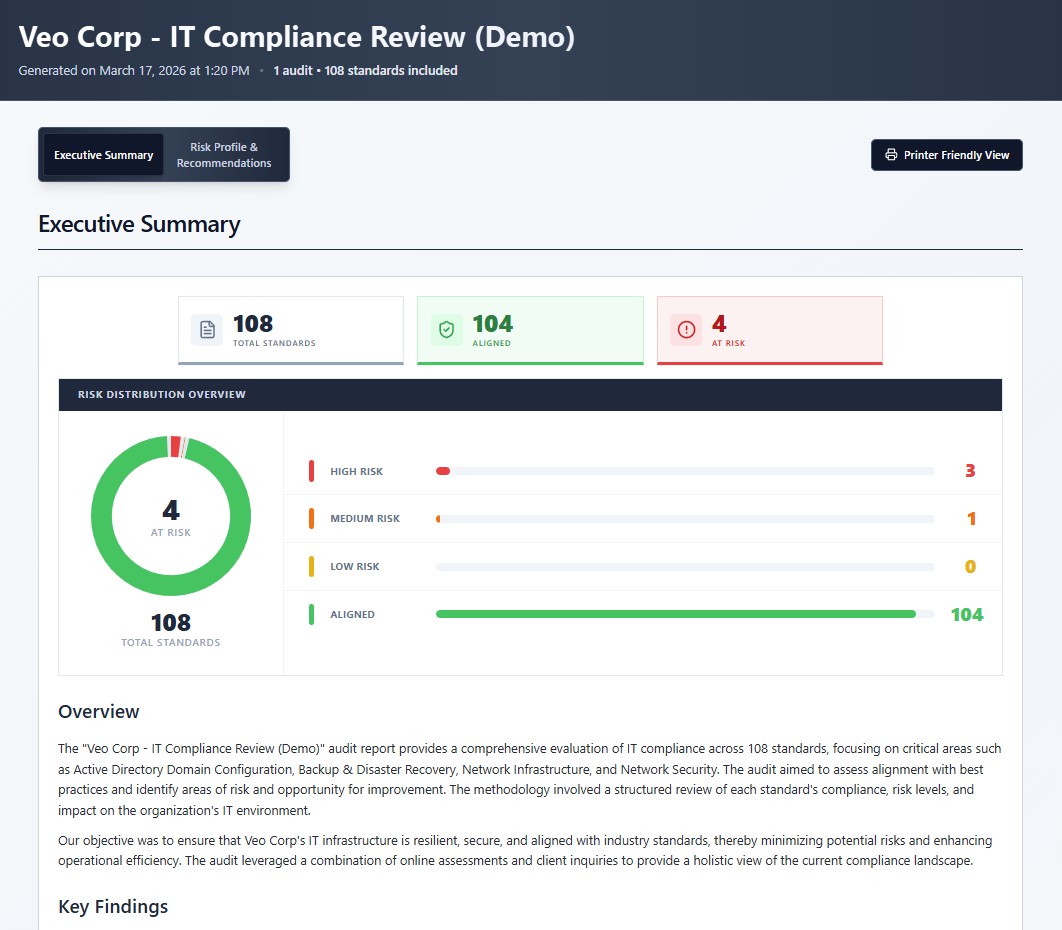
Once findings are in, the audit owner reviews them and determines risk levels. AI-generated executive summaries, based on the included standards, provide structured, customisable reports ready for decision-making by leadership.
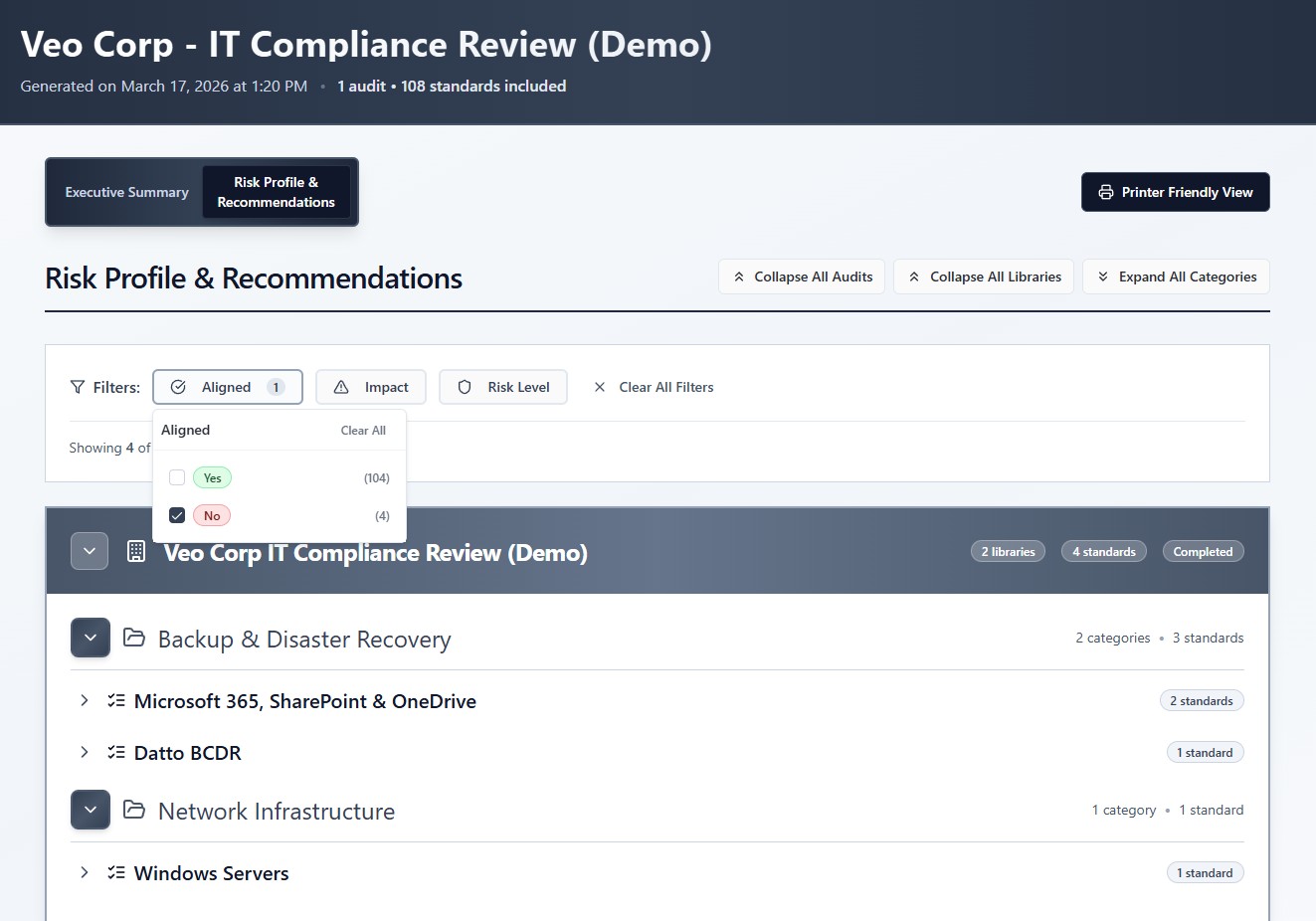
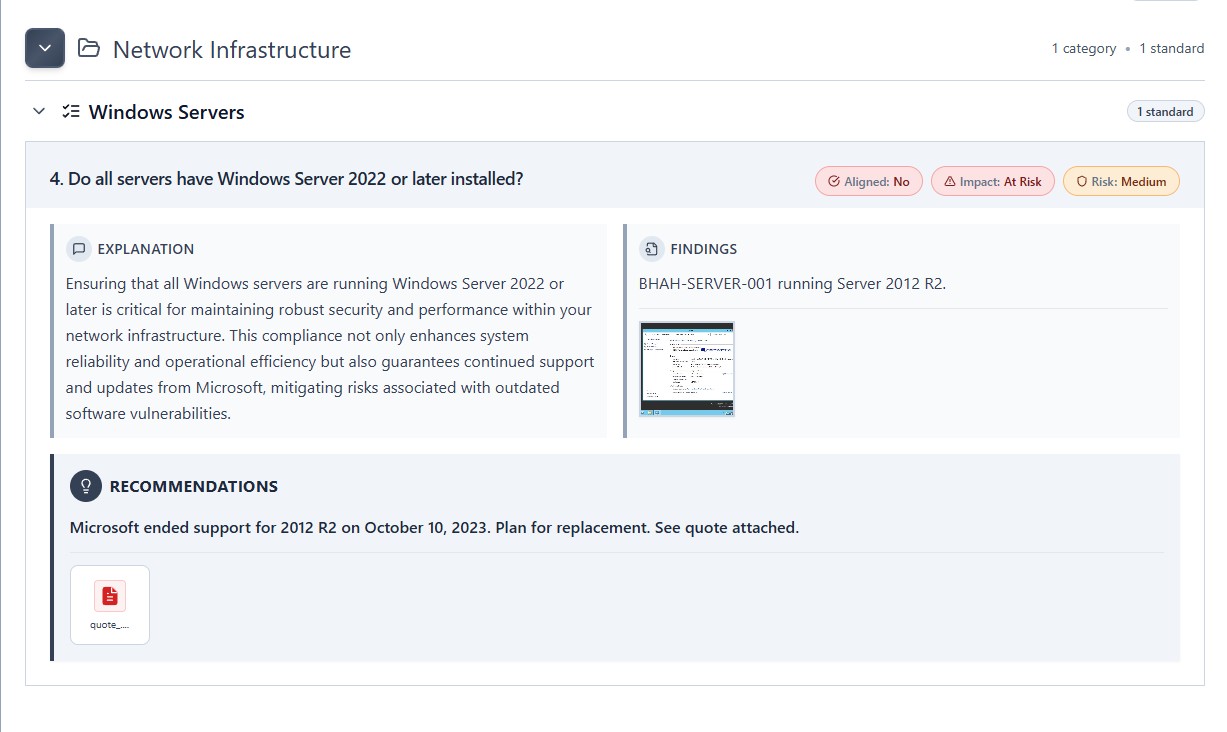
Reports are securely shared with recipients, who can interact with them using filters and print them as needed. Each report includes plain-language explanations for why each standard matters, detailed findings with supporting screenshots, and actionable recommendations, with quotations and proposals attached by the audit owner.
- Review findings and determine risk levels
- AI-generated executive summaries based on included standards
- Securely shared with interactive filters and print support
- Plain-language rationale, findings, screenshots and recommendations
Build your first audit on the call
Twenty minutes against your own environment. You keep whatever we build.
Book a demo